
PAYMENT PAGES & VIRTUAL TERMINAL
Give clients a simple, secure way to pay—without another phone call.
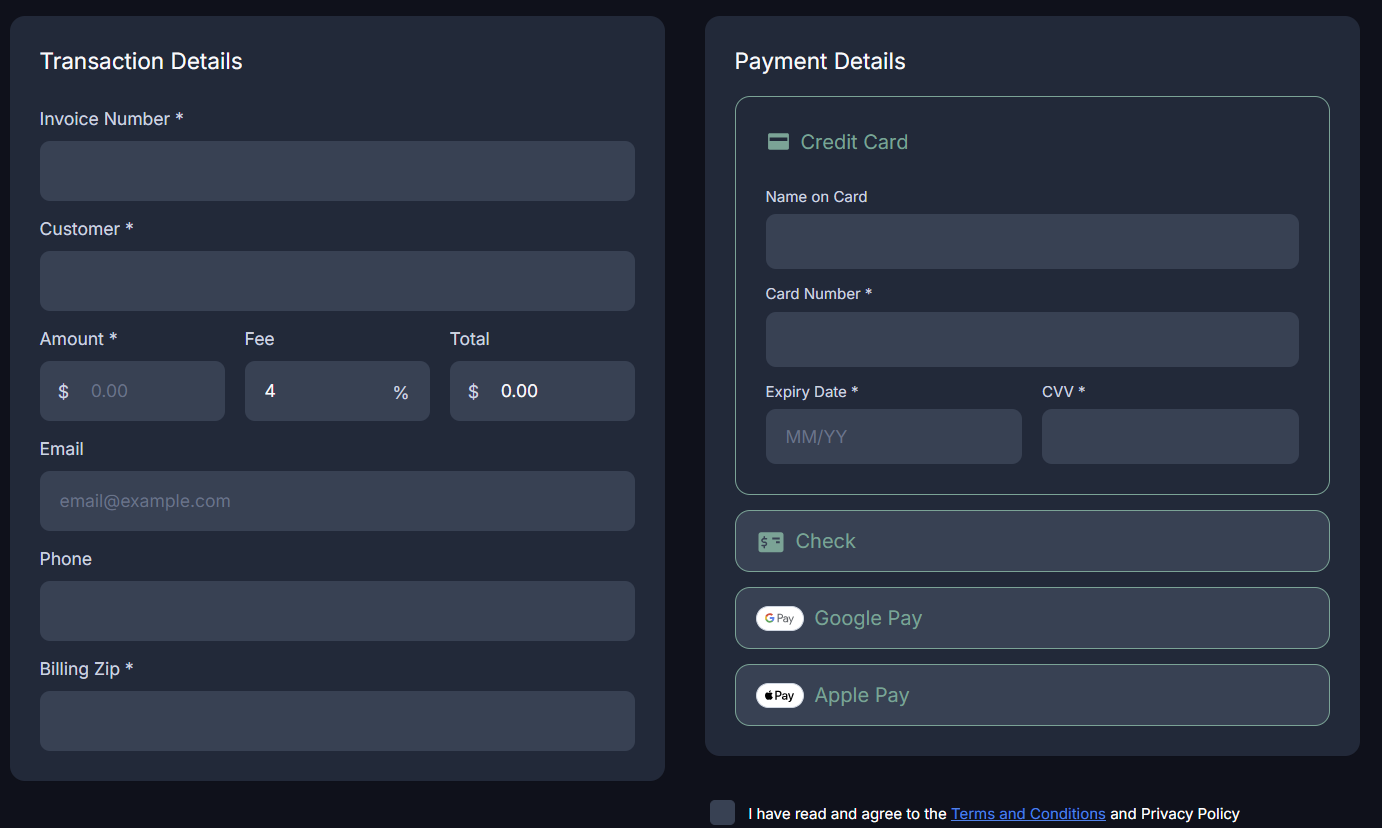
Create branded online payment pages, email secure links, and take payments through a virtual terminal when your team needs to assist.
BETTER THAN A GENERIC PAY NOW BUTTON
Every payment route should tell clients exactly what to do next.
The right payment page builds trust, reduces miscoded payments, and makes the payment experience feel consistent with your firm.
Invoice payment pages
For legal services already billed to the client. Include matter or invoice-reference instructions and payment options that fit your firm.
Retainer & advance-deposit pages
For funds your firm directs clients to deposit for future legal services or costs, using a separately configured trust payment path.
Secure payment links
Send a payment request by email or text when a client needs a little nudge—or when a mailed statement simply takes too long.
Virtual terminal
Help a client pay by phone or in-office through a secure browser-based terminal, while keeping card details out of notes and email.
QUICKBOOKS WORKFLOW
Keep payment activity closer to the invoices and bookkeeping your firm already uses.
For firms using QuickBooks, CounselPay can help evaluate a payment workflow that keeps invoicing, payment collection, and reconciliation more connected. That can mean using a payment link with a QuickBooks invoice, aligning transaction details with the client or matter reference your team uses, and simplifying the handoff to your bookkeeping process.
The exact setup depends on your current QuickBooks version, payment flow, and processor configuration. We start by mapping what your office does today.
Discuss your QuickBooks workflow →Less payment chasing. Cleaner reconciliation.
- Attach secure payment requests to invoice communications
- Use client, invoice, or matter references consistently
- Make ACH and card payments easier to identify
- Give your bookkeeper a clearer payment trail
HOW IT WORKS
One firm experience. Clear payment destinations.
Behind the scenes, payment pages can be attached to different merchant configurations. A firm may use an operating-account path for earned invoices and a trust-account path for advance deposits.
The lawyer and their accounting/legal advisors determine the proper treatment of each client payment. CounselPay helps create clear, usable payment routes.
Map the payment types
Identify invoice, retainer, cost, or other payment situations your firm handles.
Configure the paths
Connect each page or link to its designated payment configuration.
Put it where clients need it
Add one “Make a Payment” page to your website and use links on invoices, email, and texts.
PAYMENT PAGE FAQ
Details that make a difference.
Clear language on the page makes life easier for the person paying and the person reconciling the payment later.
Usually, one “Make a Payment” page with two clearly labeled choices is the cleanest client experience: one for invoices and one for retainers or advance deposits.
SEE YOUR OPTIONS